
Download CompleteTax – Free Online Tax Filing Tool for U.S. Wage Earners
Overview
CompleteTax is a web‑based finance application designed specifically for U.S. wage earners who need a fast, secure, and cost‑free way to file their basic federal tax return. The platform runs entirely in the browser, which means there is no need to install bulky software on your computer. By leveraging modern encryption and a clean, step‑by‑step interface, CompleteTax removes the intimidation factor that many people associate with tax season.
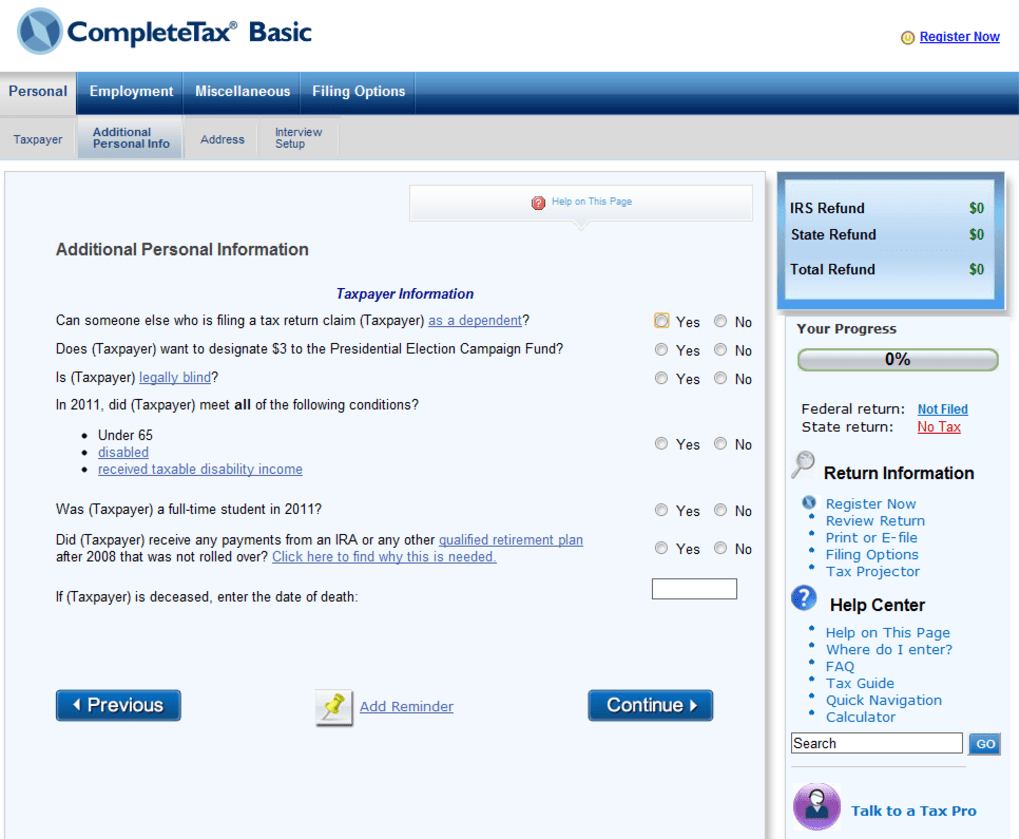
Users start by entering personal information, wages, and other standard data points; the system then auto‑populates the appropriate IRS forms (including 1040, 1040A, and 1040EZ) and runs built‑in calculators to estimate deductions and refunds. Once the return is complete, you can either e‑file directly to the IRS or download a printable PDF to mail manually. The service also bundles a “Tax Tips & Calculators” hub, a curated list of “Helpful Tax Tools,” and a library of “Most Popular Tax Guides” covering topics such as filing status, itemized deductions, and common mistakes to avoid.
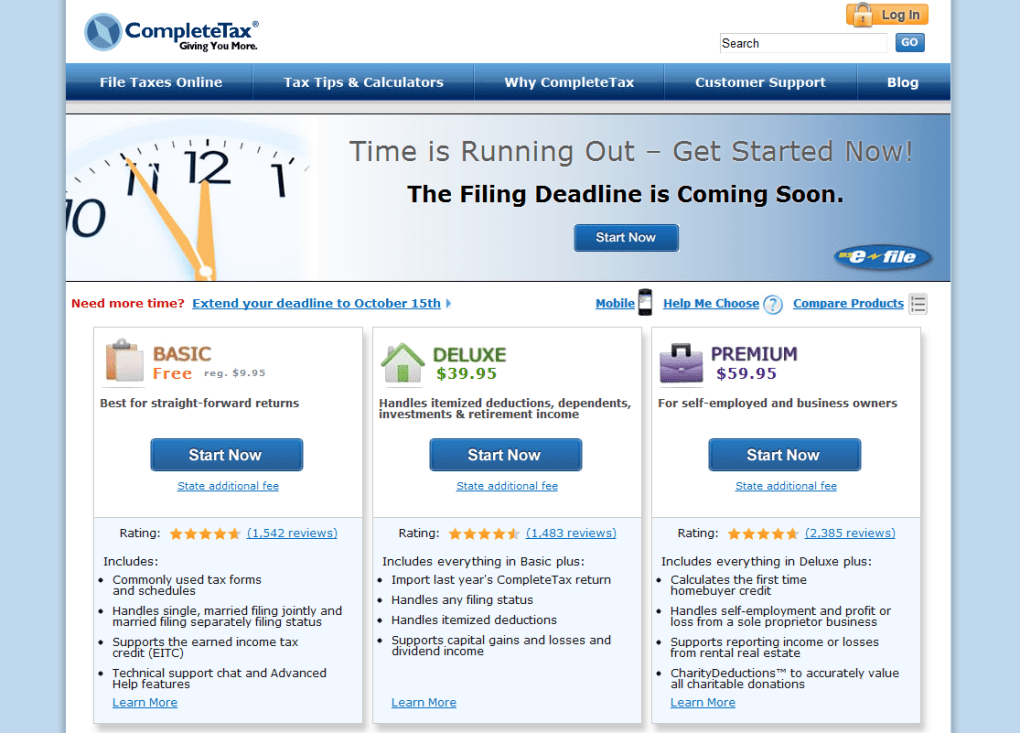
While the free tier covers simple federal returns, CompleteTax offers Deluxe and Premium upgrades for users with dependents, investments, self‑employment income, or more complex state filing needs. The core value proposition is a no‑cost, no‑install, and user‑friendly experience that gets basic returns done in minutes, allowing taxpayers to focus on getting the highest possible refund without the headache of traditional desktop tax software.
Key Features of CompleteTax
- In‑browser filing: No download required; works on any modern browser.
- Free federal filing: 100 % free for basic 1040, 1040A, and 1040EZ returns.
- Automatic form population: Wage information from W‑2s is entered once and the system fills the correct IRS fields.
- Tax Tips & Calculators: Built‑in tools that help you estimate deductions, credits, and refund amounts.
- Most Popular Tax Guides: Easy‑to‑read articles on filing status, standard vs. itemized deductions, and common filing errors.
- E‑file or PDF export: Choose secure electronic filing or download a printable PDF for mail‑in.
- State filing option: File state returns for a flat fee of $39.95, payable via credit card or refund offset.
- Alert system: Real‑time validation that flags discrepancies before you submit.
- Upgrade paths: Deluxe version for itemized deductions, dependents, and investment income; Premium for 1099‑MISC and self‑employment.
- Secure data handling: SSL encryption, two‑factor authentication, and automatic data purging after the filing season.
Installation & Usage Instructions
Because CompleteTax is a pure web application, the installation process is essentially reduced to creating an account and launching the site in your preferred browser. Follow these steps for a smooth start:
Step 1 – Access the Platform
Open any up‑to‑date browser (Chrome, Firefox, Edge, Safari) on a PC, Mac, or even a tablet. Navigate to https://completetax.example.com. The landing page will present a clear “Get Started” button that initiates the registration flow.
Step 2 – Create Your Account
Provide a valid email address, create a strong password (the system enforces a minimum of 12 characters, mixed case, numbers, and symbols), and verify your email via the link sent to your inbox. For added security, enable two‑factor authentication using an authenticator app.
Step 3 – Begin a New Return
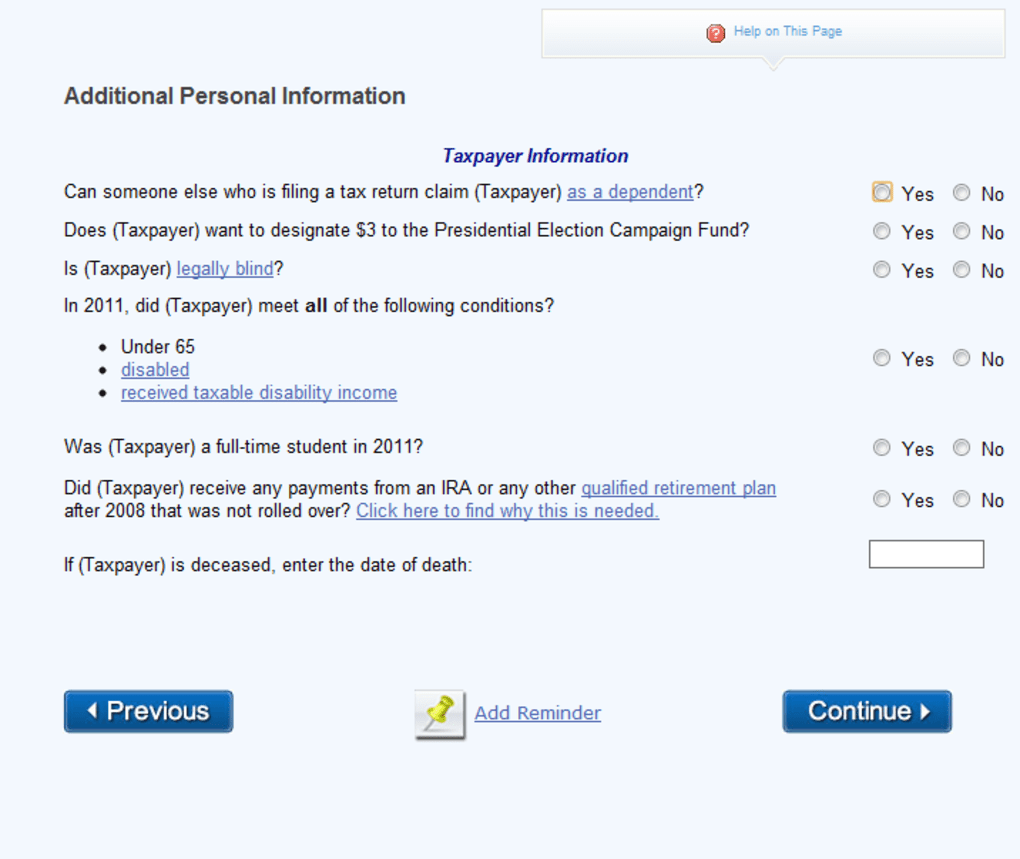
Once logged in, click “Start New Federal Return.” You will be guided through a series of screens: personal details, filing status, dependents (if applicable), and wage information. You can upload a digital copy of your W‑2, and CompleteTax will extract the necessary fields automatically.
Step 4 – Review Calculations and Alerts
After entering all required data, the platform runs a quick validation. Any mismatched Social Security numbers, missing signatures, or contradictory entries trigger an alert box with clear instructions on how to correct them. This reduces the chance of rejection by the IRS.
Step 5 – Choose Filing Method
When you are satisfied with the review, you can either click “E‑file Now” to transmit the return directly to the IRS (the service uses the IRS’s modern e‑file gateway) or select “Download PDF” to obtain a printable version for mail‑in. If you opt for e‑file, you’ll be prompted to enter a payment method for the optional state filing fee if you have a state return to submit.
Step 6 – Confirmation and Record Keeping
After successful submission, CompleteTax displays a confirmation screen with a unique filing ID and an option to email a copy of the receipt. All records are stored securely for 30 days, after which they are automatically purged to comply with privacy regulations. Users can also download an “Annual Summary” PDF for personal tax records.
The entire workflow typically takes 15‑30 minutes for a straightforward wage earner, making CompleteTax one of the fastest free filing solutions on the market.
Compatibility & System Requirements
CompleteTax is built on responsive web technologies, so it is compatible with virtually any operating system that can run a modern browser. The official supported environments are:
- Windows 10, 11 (Chrome 108+, Edge 108+, Firefox 107+)
- macOS 12 Monterey and later (Safari 15+, Chrome, Firefox)
- Linux distributions with recent browsers (Chrome, Firefox)
- ChromeOS devices (Chromebooks)
- iOS 14+ and Android 9+ tablets or phones – the mobile layout adjusts for touch navigation.
Because the service runs in the cloud, there are no CPU, RAM, or disk‑space constraints beyond what your browser needs for normal web browsing. A stable internet connection (minimum 2 Mbps) is recommended for smooth uploading of W‑2 PDFs and for the e‑file transmission step. Users on slower connections may experience slight delays when the system validates data against the IRS servers, but the core functionality remains accessible.
Security‑wise, CompleteTax adheres to industry‑standard TLS 1.3 encryption for all data in transit and stores encrypted snapshots of your return for the limited retention period. The platform also supports password managers for secure credential storage, and it complies with the IRS’s e‑file security guidelines, ensuring that your personal and financial information remains protected throughout the filing season.
Pros and Cons
Pros
- Zero cost for basic federal filing: Ideal for single filers or couples without dependents.
- No installation required: Works directly in the browser on any device.
- Clear step‑by‑step guidance: Reduces the learning curve for first‑time filers.
- Real‑time alerts: Catches common errors before submission.
- Secure encryption and optional 2FA: Protects sensitive tax data.
- Helpful tax resources: Integrated calculators, tips, and guides.
- Upgrade paths available: Deluxe and Premium versions for more complex returns.
Cons
- Limited to simple returns in the free tier: No itemized deductions, dependents, or investment income.
- State filing fee is higher than some competitors: $39.95 compared to lower fees offered by rivals.
- Premium features require a paid upgrade: Users with 1099‑MISC income must purchase the Premium plan.
- Internet dependency: Must have a stable connection to complete e‑filing.
- No desktop version: Users who prefer offline filing must look elsewhere.
Frequently Asked Questions
Is CompleteTax really free for basic federal returns?
Yes. CompleteTax offers 100 % free filing for simple federal returns that use Form 1040, 1040A, or 1040EZ. There is no hidden charge for the basic service, and you can e‑file directly to the IRS at no cost.
Can I file my state return for free?
State filing is not free with CompleteTax. The platform charges a flat $39.95 fee for each state return, which can be paid by credit card or deducted from your expected refund. Some competitors may offer lower state fees.
What happens if I need to itemize deductions?
Itemized deductions are only available through the Deluxe upgrade. The free version only supports the standard deduction. Upgrading unlocks Schedule A and additional guidance for mortgage interest, charitable contributions, and medical expenses.
Is my data safe when I use CompleteTax?
CompleteTax uses TLS 1.3 encryption for all data in transit and stores information in encrypted databases. Two‑factor authentication is optional, and the platform automatically deletes your data 30 days after the filing deadline to protect privacy.
Can I use CompleteTax on a mobile device?
Yes. The web app is fully responsive and works on iOS and Android smartphones and tablets. The interface adapts for touch input, making it easy to enter W‑2 information and navigate the filing steps on the go.
Conclusion & Call to Action
CompleteTax fills a valuable niche for taxpayers who need a quick, secure, and completely free way to file a basic federal return. Its browser‑based design eliminates the hassle of downloading bulky software, while the built‑in calculators and alerts help even first‑time filers avoid common mistakes. If your tax situation is straightforward—no dependents, no itemized deductions, and no self‑employment income—CompleteTax is arguably the most cost‑effective solution available today.
However, the platform’s pricing model for state returns and its limited feature set in the free tier mean that power users or those with more complex financial situations may want to explore alternatives or consider the Deluxe/Premium upgrades. Compared with rivals like TaxAct Online, CompleteTax’s state filing fee is higher, but its free federal service remains a standout.
Ready to file your taxes without spending a dime on the federal return? Click the button below to launch CompleteTax, create your account, and start the filing process in under half an hour. Secure, fast, and free—your refund is just a few clicks away.



.png)



